


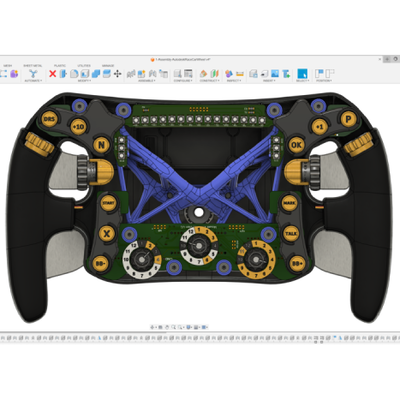
While many people associate AI in design with exaggerated concept art or viral surreal images, the reality for industrial designers in a professional setting is much more grounded. Today’s tools quietly integrate intelligence and automation into daily workflows, helping professionals transition smoothly from concept to production.
Faced with faster cycles, tighter budgets, sustainability targets, and rising creative demands, industrial designers and engineers increasingly rely on these technologies—not just for futuristic efficiency, but as vital resources for staying competitive. Autodesk Fusion embeds automation directly into the design process, making AI a natural extension of creative exploration rather than a separate technical skill. Its intelligent workflows reduce repetitive work, speed iterations, and steer designers toward well-informed decisions. Let’s explore some of the top automated and AI-powered tools Fusion has to offer.
Autodesk Fusion embeds automation directly into the design process, making AI a natural extension of creative exploration rather than a separate technical skill. Its intelligent workflows reduce repetitive work, speed iterations, and steer designers toward well-informed decisions. Let’s explore some of the top automated and AI-powered tools Fusion has to offer.
Embracing intelligent design exploration with automated modeling
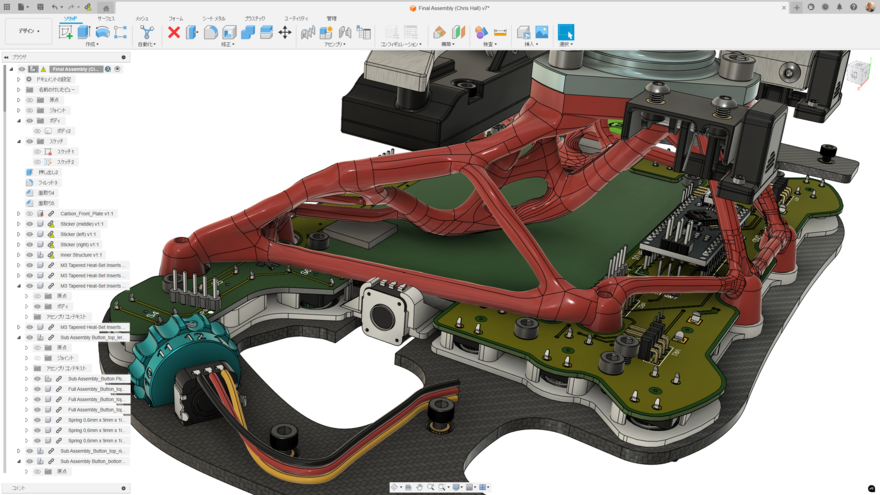

Automated modeling in Fusion allows designers to quickly generate multiple design alternatives from simple inputs like which surfaces to connect and which bodies to avoid. This AI-assisted feature accelerates the early stages of concept development, turning what once took hours of manual modeling into a dynamic, iterative process. Beyond speed, automated modeling enhances creativity. It helps designers explore smooth or sharp transitions between parts without detailed setup or manufacturing restrictions.
Automating precision with sketch constraints
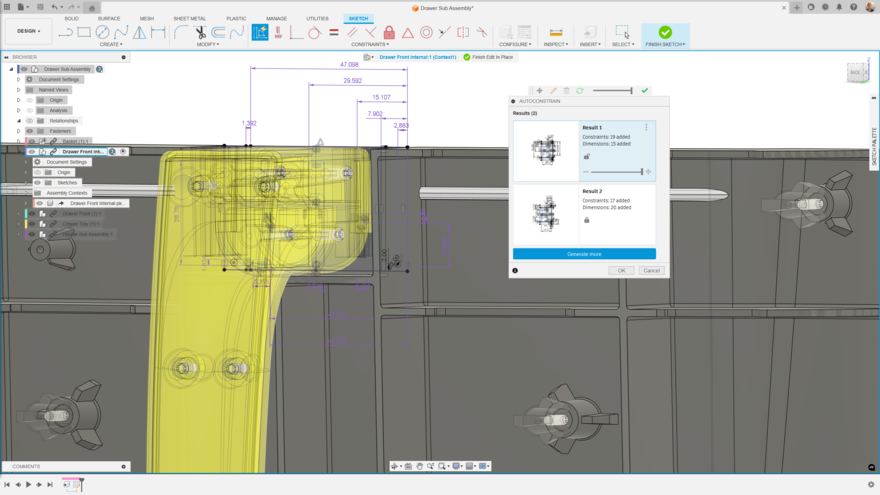
Sketch constraints are the foundation of parametric design, defining how geometry behaves when dimensions change. Fusion’s AI-powered automated sketch constraint system intelligently detects relationships—such as horizontal, vertical, or tangent alignments—and applies them as you sketch. This transforms what used to be a meticulous manual step into a guided process that ensures every line, curve, and point behaves predictably during edits. By automatically managing geometric relationships, AutoConstrain helps preserve design intent while making models easier to refine and scale.
Unlocking more design options with generative design
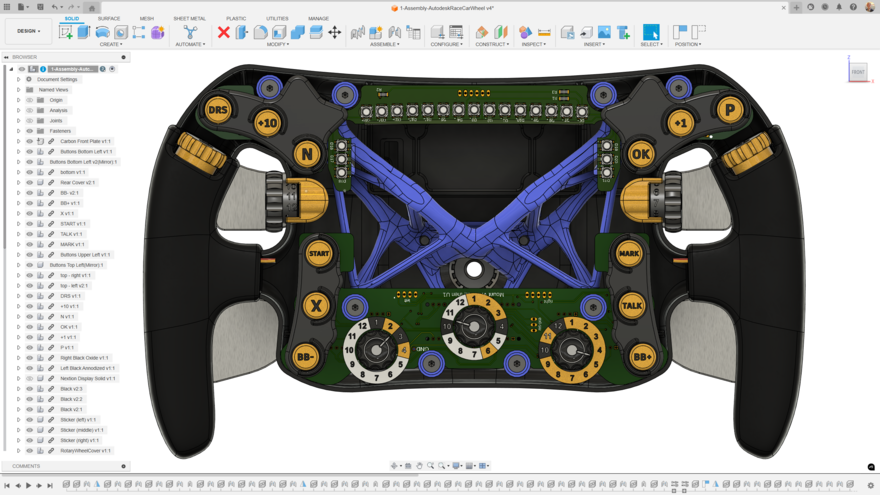
Generative design in Fusion takes automation one step further by enabling designers to explore solutions beyond what’s humanly possible to manually model. By defining goals, materials, and constraints, designers can generate thousands of design alternatives that balance performance, cost, and manufacturability. Whether optimizing a lightweight component or evaluating different manufacturing methods like CNC machining or additive manufacturing, generative design helps find the most efficient path from concept to production-ready geometry. The result is not only faster innovation but also products that perform better and use fewer resources.
“Complicated parts are hard to engineer, and they can take years to develop. But using generative design in Fusion, you can put multiple functions into one part, iterate, prototype, and it’s just a matter of weeks for a final product.” —Robin Shute, Founder, Shute Dynamics
Fastener replacement
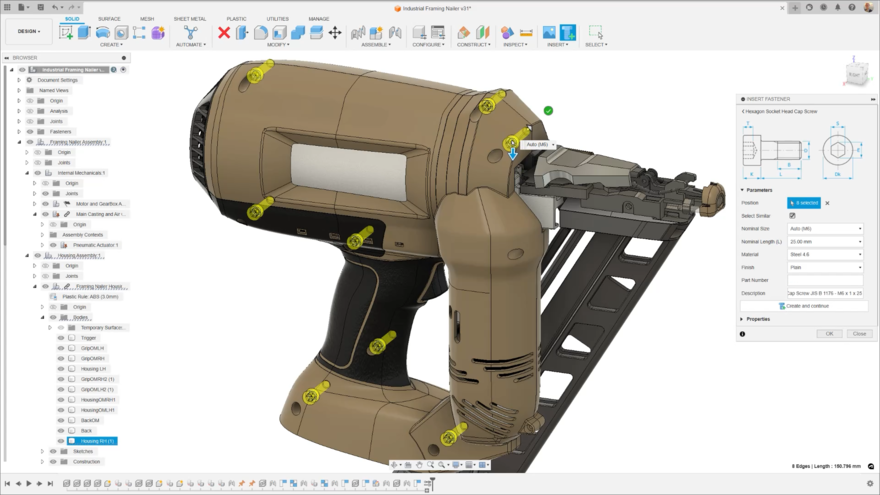
Fastener replacement tools use Autodesk AI to automatically detect and update fastener sizes across your design when requirements change. You can edit individual fasteners or entire groups in one step, ensuring all dimensions, joints, and Bill of Materials stay consistent and compliant.
Faster documentation with automated drawing
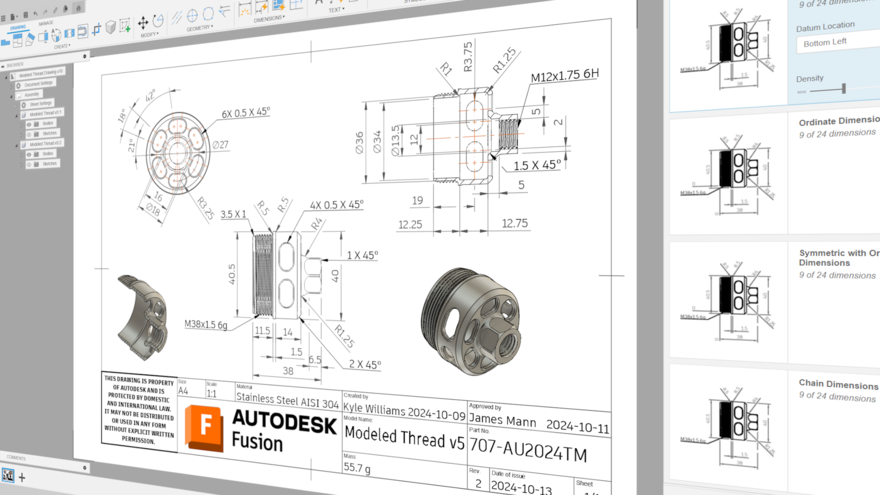
Technical drawings are still vital for communicating design intent, yet they often delay projects due to manual creation. Autodesk Fusion’s automated drawings feature, powered by AI, dramatically streamlines this process. The tool automatically generates 2D drawings from 3D models. It automatically creates standard orthographic and isometric views, applying dimensions, and inserting annotations. By eliminating tedious setup and reducing opportunities for error, drawing automation allows teams to produce manufacturing-ready documentation in minutes instead of hours, improving throughput and consistency across design teams.
“From automated drawings to automated modeling, generative design, we use all these tools to really speed up our workflow.” —Ed Barlow, Head of Engineering, Photocentric
Amplify your creativity with automation and AI
The future of industrial design belongs to those who embrace automation and AI not as replacements for creativity, but as tools that amplify it. By incorporating scalable automation across modeling, sketching, and documentation, Fusion empowers engineers and product designers to collaborate effortlessly, accelerate development, and deliver their products with confidence. Experimenting with these features today means staying ahead of the curve tomorrow. Now’s your chance to deliver smarter products with fewer iterations and more confidence in every design decision.
Try Autodesk Fusion today.
link